Device and Functional Specifications
MicroPeckerX Device Specifications《S810-MX-FD2》
| Item | Description |
|---|---|
| Power supply | USB Bus Power (5V, 300mA) |
| Dimensions | 65(W)×35(D)×16(H)mm |
| Weight | 45g |
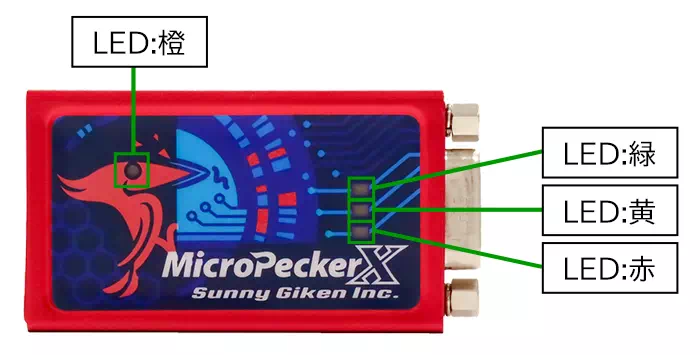
| LED | 4 LEDs Orange: Power status (lit when powered) Green: Communication Ch1 (blinks during CAN/CAN FD communication on Ch1*) Yellow: Communication Ch2 (blinks during CAN/CAN FD communication on Ch2*) Red: Error (lit when an abnormality occurs) *Blinks when receiving or transmitting GW target IDs and during periodic transmission, except for immediate GW transmission/reception. |
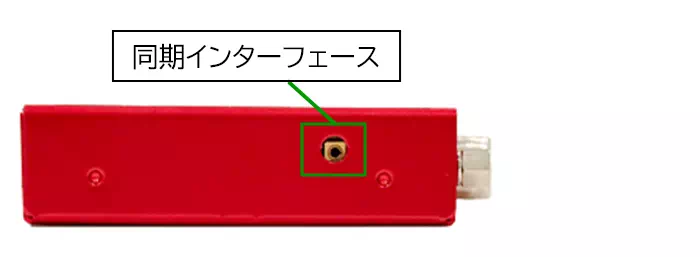
| Synchronization interface | 2 ports |
| CAN/CAN FD interface | D-sub 9-pin, 2 channels |
| USB ports | Two USB Micro-B ports (Main, Sub) |
International Standards
- CE marking acquired
EMI: EN55011(2020) Group1 ClassB
EMS: EN61000-4-2(2009), EN61000-4-3(2010) - FCC compliant
This device complies with Part 15 of the FCC Rules. Operation is subject to the following two conditions:
(1) This device may not cause harmful interference, and (2) This device must accept any interference received, including interference that may cause undesired operation.
Front
Top and Bottom
Left and Right Sides
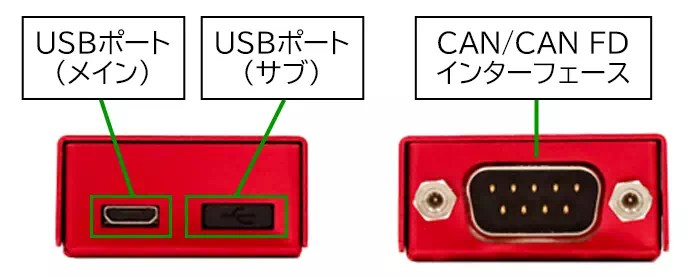
Note: Do not use the USB Sub port.
CAN 1ch Clip Cable Specifications《S810-MX-CB1》
| Item | Description |
|---|---|
| Signals | CAN-Hi, CAN-Lo, GND Clip connectors |
| Cable length | Total length: 0.3m |
| Shield | None |
Connector Pin Assignments
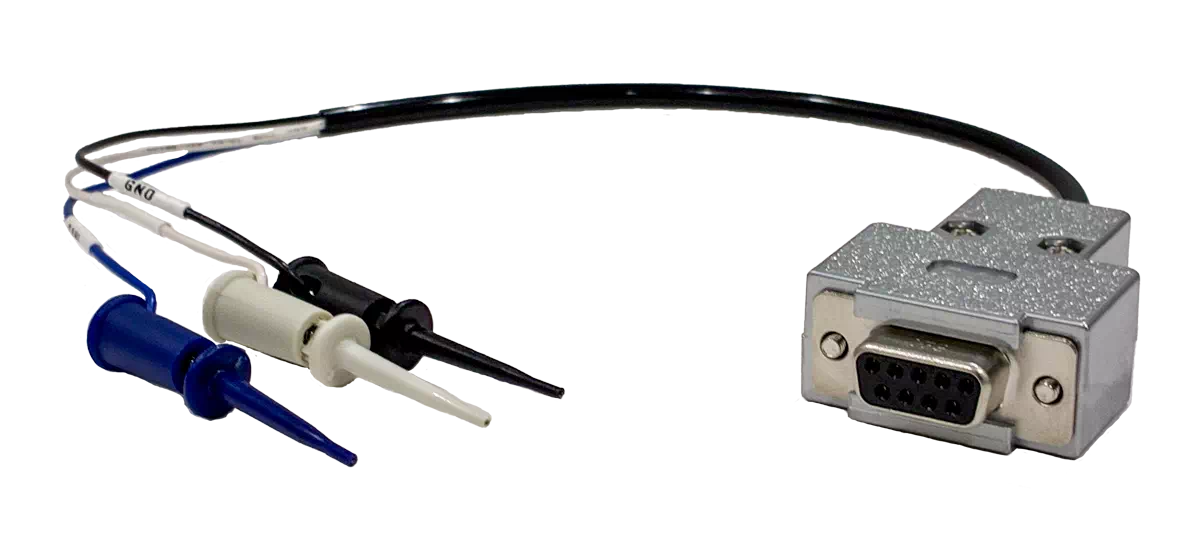
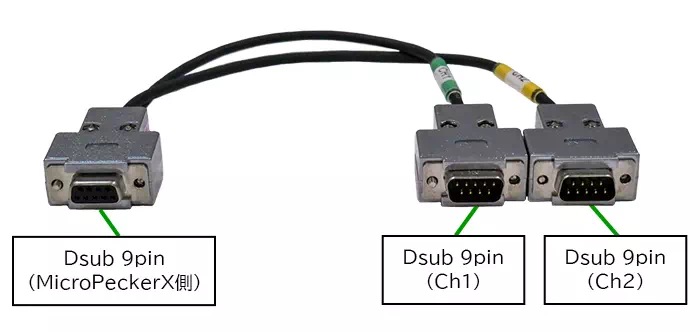
CAN 2ch D-sub Cable Specifications《S810-MX-CB2》
| Item | Description |
|---|---|
| Signals | CAN-Hi, CAN-Lo, GND D-sub 9-pin connector |
| Cable length | Total length: 0.3m |
| Shield | Yes |
Connector Pin Assignments
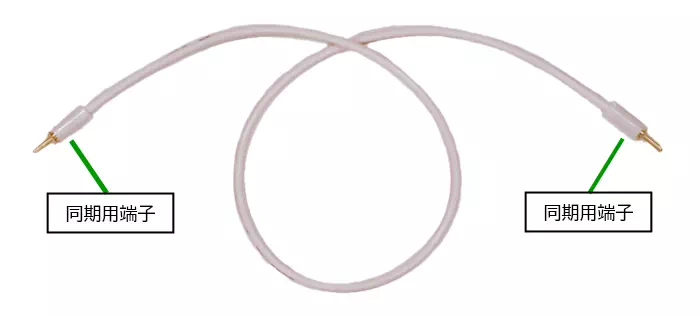
Sync Cable Specifications
| Item | Description |
|---|---|
| Cable length | Total length: 25cm |
| Shield | None |
Note: The sync cable is not used in this system.
MicroPeckerX CAN FD Analyzer Functional Specifications
| Item | Description | |
|---|---|---|
| CAN / CAN FD interface | 2ch | |
| Supported channels | 2ch per unit; up to 8ch (4 units) can be connected simultaneously | |
| Multi-channel synchronization | Monitor timestamp synchronization | Monitor data timestamp synchronization across up to 8ch (4 units) |
| Simulation transmission timing synchronization | Simulation time synchronization across up to 8ch (4 units) | |
| Log replay transmission timing synchronization | Supported | |
| Communication settings | Protocol | Selectable: CAN / CAN FD |
| Baud rate: Arbitration phase | 125kbps / 250kbps / 500kbps / 1Mbps | |
| Baud rate: Data phase | 125kbps / 250kbps / 500kbps / 1Mbps / 2Mbps / 5Mbps *Adjusted to 500kbps if 125kbps is selected for the arbitration phase. | |
| Sample point | 60% / 65% / 70% / 75% / 80% / 85% *Adjusted to 75% if the data-phase baud rate is set to 5Mbps. | |
| Termination resistor | Enable/disable selectable | |
| Monitoring | Timestamp resolution | 1μs |
| Logging capacity | Depends on the capacity of the destination disk | |
| Trigger mode | Free run, start trigger, stop trigger | |
| Trigger conditions | Specified log detection, key input, signal threshold conditions | |
| Logging output | Text (CSV), hexadecimal output | |
| Simulation transmission | Transmission time resolution | 0.1ms |
| Guaranteed transmission timing accuracy | 0.2ms | |
| Configurable frame count | 28 frames | |
| Frame type | Periodic, event, event periodic | |
| Transmission cycle | 0.1ms to 60000ms (0.1ms increments) | |
| Initial transmission offset | 0ms to 60000ms (0.1ms increments) | |
| Transmission count | 0 to 60000 times (0 = unlimited) | |
| Event type | Frame reception trigger, key trigger | |
| Transmission delay after event detection | 0ms to 60000ms (0.1ms increments) | |
| Guaranteed transmission interval for the same frame | 0.1ms to 59999ms | |
| Log replay transmission | Transmission time resolution | 0.1ms |
| Guaranteed transmission timing accuracy | 0.2ms | |
| First-frame transmission offset | 0.1ms to 60000ms | |
| Log replay start timing | Immediately after monitoring starts, frame reception trigger, log trigger, key trigger | |
| Transfer mode | Loop on/off | |
| Supported channels | Up to 4ch (1ch per device) | |
| Burst transmission | Single-frame transmission | Supported |
| Log burst transmission | Supported | |
| Transfer start timing | Immediately after monitoring starts, frame reception trigger, log trigger, key trigger | |
| Transfer mode | Loop on/off | |
| Supported channels | 1ch | |
| Log analysis | Gateway latency analysis | Measures the gateway delay time of target frames |
| Gateway message loss detection | Detects lost messages | |
| Gateway Message Residence Peak Analysis | Measures the peak number of messages resident on the gateway side | |
| Frame cycle analysis | Measures the frame cycle of a specified CAN ID (Max/Min/Average) | |
| Signal monitoring | Signal capacity | Catalog: up to 10,000 entries; Signal Sets: up to 10; each Set: up to 128 signals across all CH, including input signals required by derived signals |
| Conversion and display formats | Raw, Formula, Value Table, BCD, ASCII. Supports display of physical values and Logical state names. | |
| Signal display during monitoring | Value list, graphs, numeric bars, state display, alert history | |
| Graph capacity during monitoring | Up to 32 signals, 2 tabs, up to 4 Areas per tab, up to 4 axes per Area (2 left and 2 right) | |
| Saving and loading settings | Saved in XML format | |
| Timestamp synchronization with MicroPecker | Supports monitor data timestamp synchronization with RAM Monitor, LIN Analyzer, and CAN Analyzer | |
For registering signal definitions, Signal Sets, display settings, and how limits are counted, see Signal Catalog.
Signal Features in Ver.4.00
| Feature | Supported Scope and Limits |
|---|---|
| Shared definition management | Manage DBC definitions, manually defined signals, and frames in Signal Catalog on the main toolbar. Applying them to monitoring, analysis, or transmission is a separate operation. |
| Signal Analysis | Analyze captured communication logs according to definitions and inspect values, waveforms, and source frames. Input is limited to 5,000,000 frames in total across all CH and the entire period; logs exceeding the limit are not automatically truncated. |
| Signal Trigger | Select an eligible numeric bus signal in the Current Set as a logging start/stop condition. Derived signals and ASCII signals are not supported. |
| Transmission settings from Catalog | Use Frames from Catalog in Send Frame to add frames or replace existing slots, and set initial values and cycles. Check that transmission is enabled and that execution conditions are correct before actual transmission. |
| Saving and output | MPXXML for general settings, MPXSIG for Catalog and all Sets, communication logs, analysis CSV, history CSV, and images serve different purposes. |
For operations and what each format saves, see the task-based guide, Catalog, and choosing a save format.