Product Configuration and Feature Overview
Product Configuration
This product is used in combination with MicroPeckerX LIN Analyzer Plus (S810-MX-LN1) and MicroPeckerX Control Software.
MicroPeckerX DIO/AD License

DIO/AD License
MicroPeckerX LIN Analyzer Plus
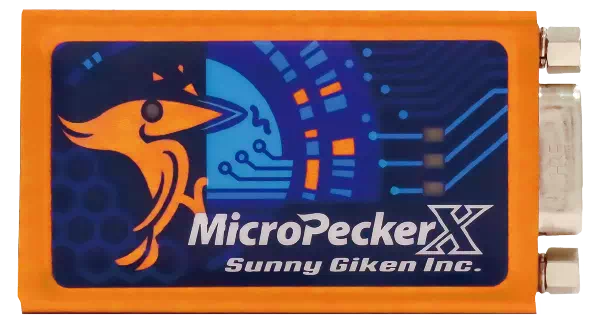
1 x MicroPeckerX unit
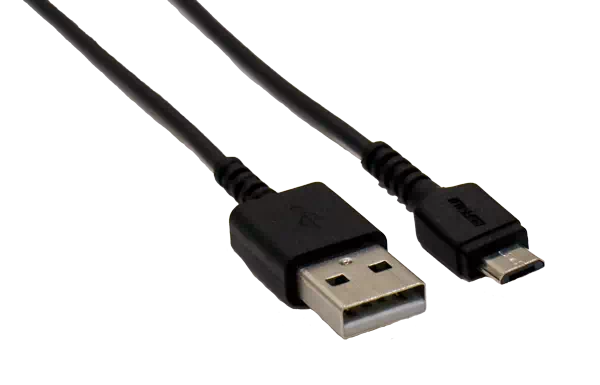
1 x USB cable
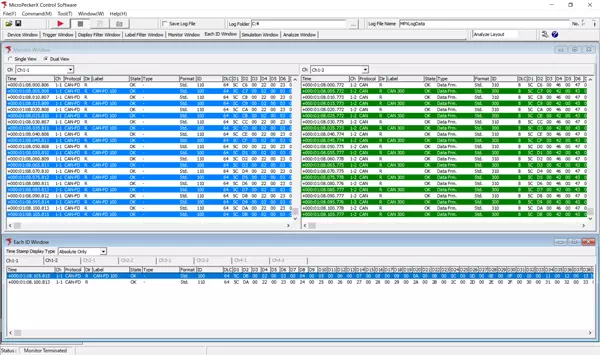
MicroPeckerX Control Software (GUI application)
* Download from Sunny Giken website
* Download from Sunny Giken website
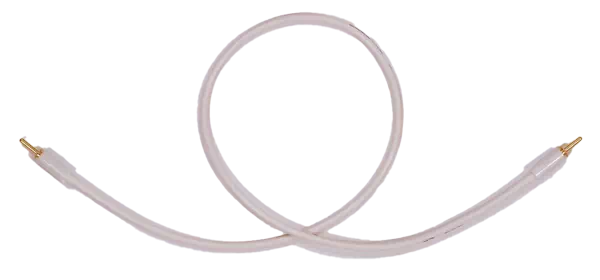
1 x Sync cable
Feature Overview
MicroPeckerX DIO/AD License
| Feature | Overview |
|---|---|
| Monitoring | Real-time monitoring of DIO signals and AD converted data. - Monitor cycle: 1ms to 60000ms (DIO), 0.1ms to 1000ms (AD) - Input voltage range: DIO 0 to 3.3V, AD 0 to 5V / 15V / 40V (selectable) - Data output: screen display (up to 100,000 records), file save (CSV/hex output) - Trigger-based log start/stop control (Free Run / Start Trigger / Stop Trigger) - Condition settings (label assignment, filter settings, Lo/Hi transition detection, wildcard support) |
| Analyze | Load and analyze recorded logs in multiple ways. - Text (CSV), A/D converted data (future support for physical value conversion) - Automatic/manual log loading - Data search (value condition, trigger condition, label) - Filter display (DIO label, AD data value) - Per-channel log merge |
| Log management | Log save/split for large data. - Split conditions: file size (1MB to 4095MB), record count (100 to 2.5M), timer (1s to 3600s) - Output destination: file / screen - Format: text (CSV), hex output, A/D data output |
| Accuracy/Resolution | - Digital I/O: Hi/Lo detection, pull-up/pull-down, output mode (open-drain/push-pull) - Analog input: 12-bit resolution, +/-17.5mV accuracy, no filter (standard noise tolerance) |
System Configuration
Example configuration
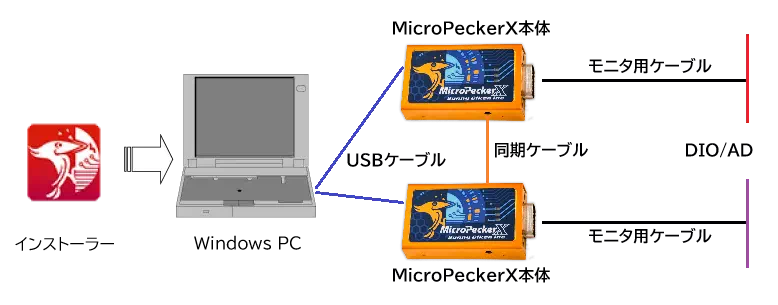
| Device | Notes |
|---|---|
| Windows PC | Used for DIO/AD monitor condition settings and running GUI application. |
| Installer | Required for software (GUI app/USB driver) installation and version update. |
| MicroPeckerX unit | Connect to PC via USB cable, and to DIO/AD monitoring point via monitor cable. When using multiple units, connect units with sync cable. |
| Monitor cable | Cable for connecting MicroPeckerX to DIO/AD monitoring points. |
| USB cable | Cable for connecting MicroPeckerX to PC. Connector type A-microB, USB2.0 compatible. |
| Sync cable | Cable for synchronizing multiple MicroPeckerX units. |
tip
Monitor cable wiring must be prepared by the user based on Dsub connector pin assignment.
Operating Environment
| Item | Details |
|---|---|
| OS | Windows 11 (64-bit), Windows 10 (64-bit), Windows 8.1 (64-bit) [*1] [*2] |
| CPU | Intel/AMD x86 processor (Core i5/Ryzen5 or higher recommended) |
| Disk | 10GB or more free space [*3] |
| Memory | 8GB or more recommended |
| USB port | USB2.0 (Hi-Speed), number of ports required according to number of MicroPeckerX units [*4] |
| Display | 1920x1080 or higher recommended |
| Other | Monitor, keyboard, mouse |
[*1]: On PCs with power saving features, configure so sleep/HDD stop/CPU clock down does not occur while using this product.
[*2]: Virtual environments are not supported.
[*3]: Ensure sufficient free disk space for long monitoring sessions.
[*4]: When using an external USB hub, use a self-powered hub with external power. (Bus-powered hubs may be unstable or non-functional.)
Terminology
| Term | Description |
|---|---|
| LIN | Abbreviation of Local Interconnect Network. Communication protocol developed for in-vehicle network cost reduction, standardized by ISO 17987. |
| DIO | Abbreviation of Digital Input/Output. Electrical signal used to determine external state with binary ON(1)/OFF(0). |
| A/D | Abbreviation of Analog/Digital. Means converting analog signals into digital signals. This product supports acquiring voltage values via digital conversion. |
| MicroPeckerX | Hardware system with one LIN and one DIO/AD channel, used with this application. |
| Ch | Abbreviation of Channel. Physical/logical communication path (e.g., LIN bus). Multiple channels can be used independently on MicroPeckerX. |
| Monitoring | Real-time display of acquired data on GUI application. |
| Logging | Automatic save of acquired data to PC folder as CSV text file. |
| Physical value | Real-value data calculated as signal value x resolution + offset or (signal value + offset) x resolution. |
| Signal value | Raw unconverted data stored in LIN frame response. |
| Log replay | Function to reproduce/replay acquired log file content. |