Product Configuration and Feature Overview
Product Configuration
This product is a plugin that adds message authentication features to the MicroPeckerX Control Software for MicroPeckerX CAN FD Analyzer (S810-MX-FD1/S810-MX-FD2).
Use it together with MicroPeckerX CAN FD Analyzer (S810-MX-FD1/S810-MX-FD2).
MicroPeckerX Message Authentication Plugin

MicroPeckerX CAN FD Analyzer
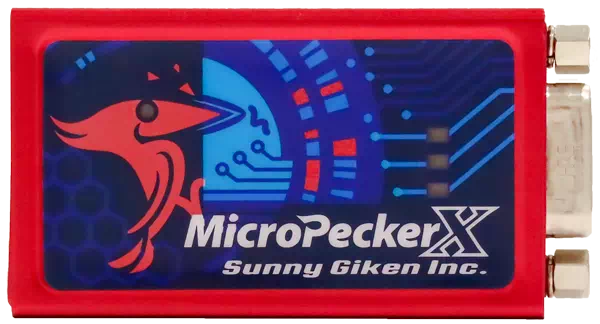
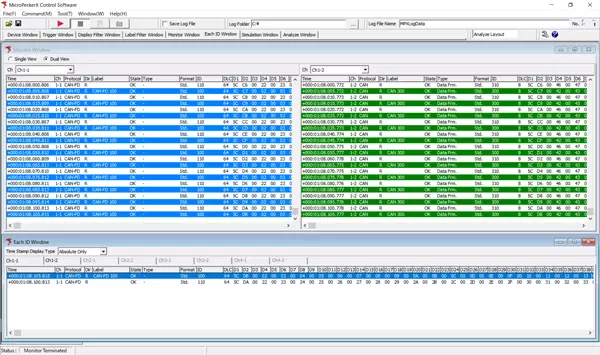
MicroPeckerX Control Software (GUI application)
- Download from Sunny Giken website
Feature Overview
This product provides the following features.
| Feature | Overview |
|---|---|
| Message authentication settings | Detailed message authentication settings (MAC/FV, etc.) by channel and CAN ID for CAN/CAN FD communication. Supports JASPAR specification and custom profiles. |
| Monitoring and log display | Real-time display and recording of authenticated message TX/RX status, verification results (OK/NG), and parameters (MAC, FV, payload, etc.). |
| Security settings management | Security settings can be saved to and loaded from files for easier multi-project and complex setting management. |
| Callout DLL integration | User-defined authentication algorithms and parameter generation logic (MAC key, FV generation, etc.) can be integrated via external DLL. |
| JASPAR support | Supports settings and verification compliant with JASPAR message authentication flow and counter structure. |
| Error message display | Displays detailed error messages and countermeasures for invalid settings and authentication errors. |
| Bulk management/list display | CAN ID list and authentication parameters can be managed and reviewed in bulk on the GUI. |
Operating Environment
The required environment for message authentication is as follows.
| Item | Details |
|---|---|
| OS (*1) | Windows 11 (64-bit), Windows 10 (64-bit) (*2) (*3) |
| CPU (*1) | Intel/AMD x86 processor meeting all conditions below: - Core i3 / Ryzen 3 or higher (Core i7 / Ryzen 7 or higher recommended) - Supports AES-NI and AVX2 instructions (*4) |
| Disk space | At least 10 GB free space (*5) |
| Memory (*1) | 8 GB or more (16 GB or more recommended) |
| USB port | USB 2.0 (Hi-Speed) compatible, with enough ports for the number of connected MicroPeckerX units (*6) |
| Screen resolution | 1920 x 1080 or higher recommended |
| Other | Monitor, keyboard, mouse |
*1: Verify these requirements in advance using System Checker.
*2: On PCs with power-saving functions, configure settings so sleep, HDD stop, and CPU clock throttling do not occur while using this product.
*3: Virtual environments are not supported.
*4: Includes Intel Core 4th generation or later.
*5: Ensure sufficient free disk space for long-term monitoring.
*6: When using an external USB hub, use a self-powered hub and supply external power before connection. Bus-powered hubs may not work correctly or may be unstable.
Check with System Checker
Before using the MicroPeckerX message authentication plugin, be sure to verify that your CPU is supported using the System Checker tool below.
If requirements are not met, This computer doesn't meet system requirement is shown in Security Window, and message authentication cannot be used.
Download System Checker
Use the link below to open the System Checker download section on the product website. After submitting the form, a download link will be sent by email.
Download System Checker
How to Use System Checker
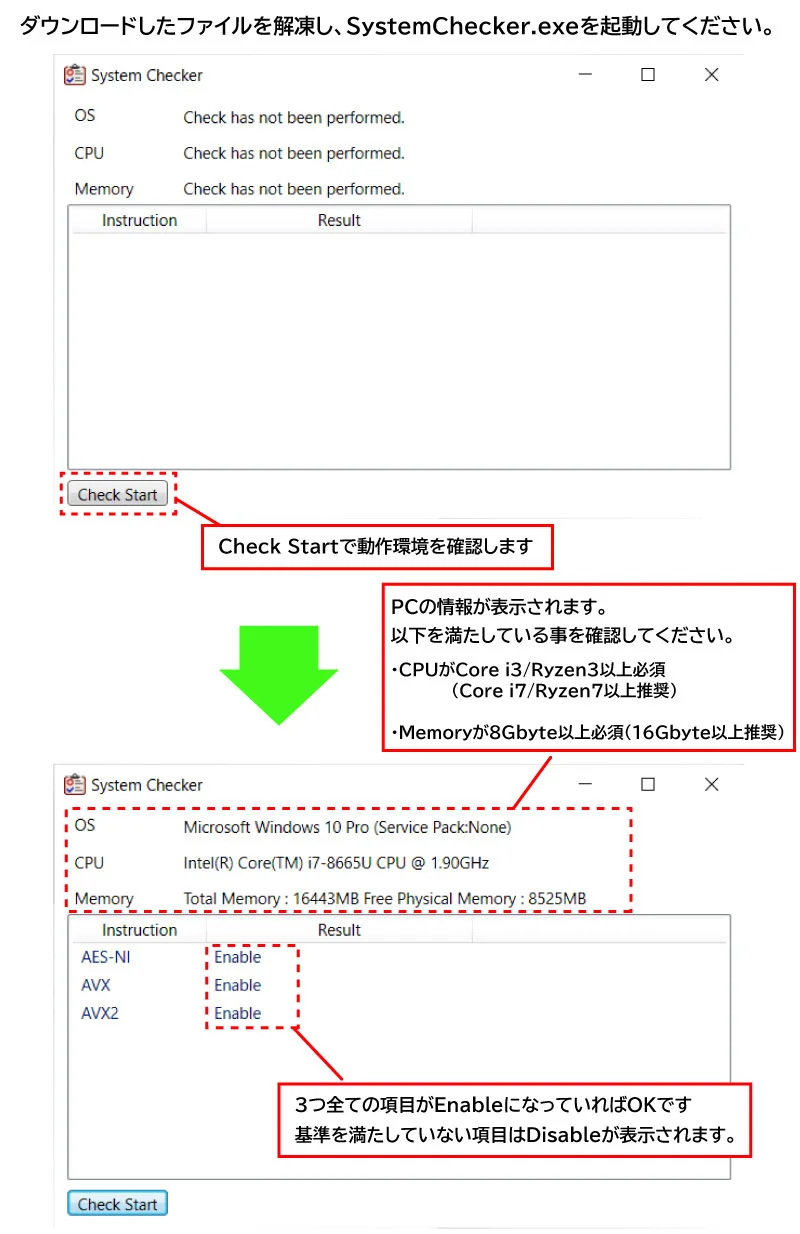
Terminology
Definitions of terms used in this manual are listed below.
| Term | Description |
|---|---|
| CAN | Abbreviation of Controller Area Network. A communication protocol developed for in-vehicle networks and standardized by ISO 11898. |
| CAN FD | Abbreviation of CAN with Flexible Data-rate. An extended CAN protocol for higher speed and larger payload, standardized as ISO 11898-1:2015. |
| MicroPeckerX | Generic name of hardware systems with in-vehicle communication interfaces, used with applications for data acquisition and analysis. |
| Arbitration | Identifier (ID) field at the beginning of a CAN frame. When multiple nodes transmit simultaneously, priority is determined by ID. |
| Payload | Data field in a CAN frame containing actual data (signal values), up to 8 bytes (CAN) or 64 bytes (CAN FD). |
| Ch | Abbreviation of channel. Physical or logical communication path on CAN bus. MicroPeckerX supports multiple channels and independent TX/RX per channel. |
| GW | Abbreviation of gateway. Hardware/software that relays data between networks with different communication protocols. |
| Monitoring | Real-time display of data acquired from the CAN bus on the GUI application. |
| Logging | Automatic saving of data acquired from CAN bus to a PC folder as text file (.csv). |
| Message authentication | Mechanism to verify both sender authenticity (anti-spoofing) and message integrity (anti-tampering). |
| MAC | Information used for message authentication to verify sender and tampering; abbreviation of Message Authentication Code. |
| FV | Counter value used so MAC input changes continuously; abbreviation of Freshness Value. |
| CMAC/AES-128 | One of the cryptographic algorithms used for message authentication. CMAC (Cipher-based Message Authentication Code) generates MAC using AES-128 and allows fast secure verification. |
| Security profile | A set of configuration values/specifications defined by AUTOSAR SecOC (Secure Onboard Communication) to implement security functions such as message authentication. Defines authentication method, MAC generation, FV management, and data layout for standardized secure ECU communication. |
| Prefix/Postfix | Data elements prepended/appended during MAC generation. Content and length vary by security strength/specification. |
| Element | Fine-grained data element composing Prefix/Postfix. Bit position, length, and initial value can be configured per element. |
| JASPAR | General incorporated association established to improve efficiency and reliability through standardization/common use of automotive software and network architecture; abbreviation of Japan Automotive Software Platform and Architecture. |