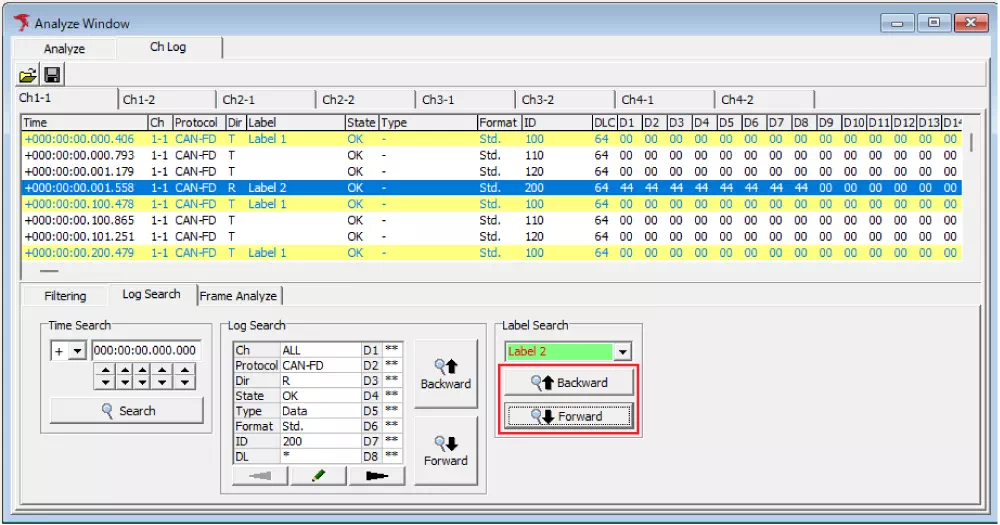
Log Search Function
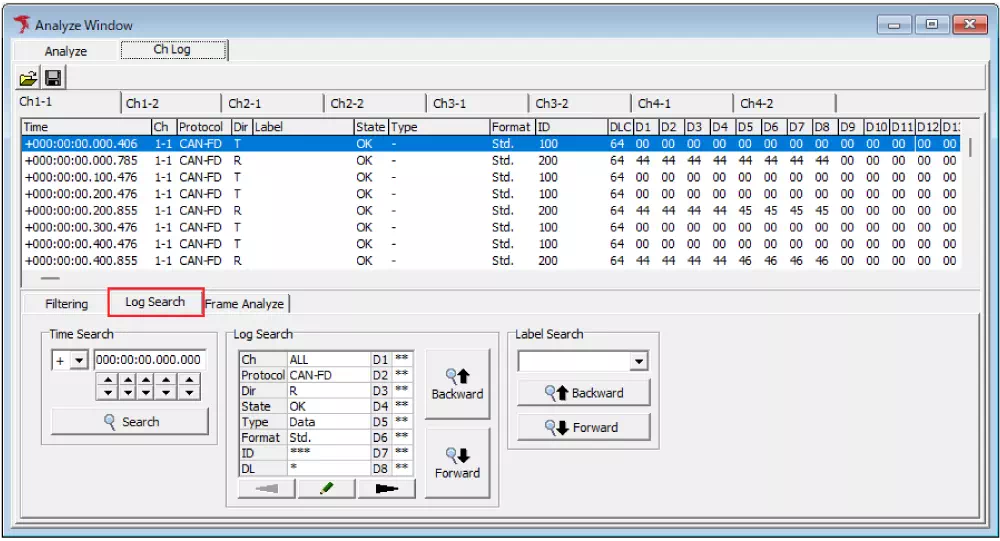
The log search function searches for specific logs from logs displayed in the Analyze Window.
In the Log Search tab under Ch Log and Analyze views, the following search modes are available.
- Time Search
- Log Search
- Label Search
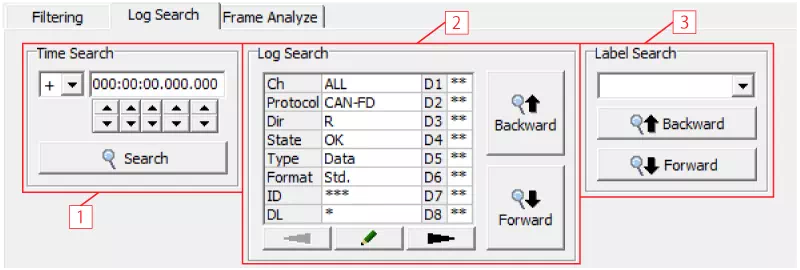
Log Search Tab Description
| No. | Item | Description |
|---|---|---|
| [1] | Time Search | Searches logs by specified time. |
 button button | Specifies relative/absolute time for the timestamp to search. | |
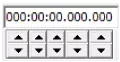 button button | Sets the timestamp to search. | |
 button button | Executes log time search. | |
| [2] | Log Search | Searches logs by specified frame condition. |
 button button | Sets frame conditions for search. | |
 button button | Switches display pages when clicked. | |
 button button | Executes backward search. | |
 button button | Executes forward search. | |
| [3] | Label Search | Searches logs of frames with specified labels. |
 button button | Sets the label to search. | |
 button button | Executes backward search. | |
 button button | Executes forward search. |
Time Search Setup Procedure
- Open the Log Search tab
Select the Log Search tab inCh LogorAnalyzeview.
- Set search time
Enter the time to search in theTime Searchfield.
You can also click to set the time, and use to specify relative time.

- Execute search
Click to jump to the specified timestamp position.

Log Search Setup Procedure
- Open the Log Search tab
Select the Log Search tab inCh LogorAnalyzeview.
- Set frame conditions
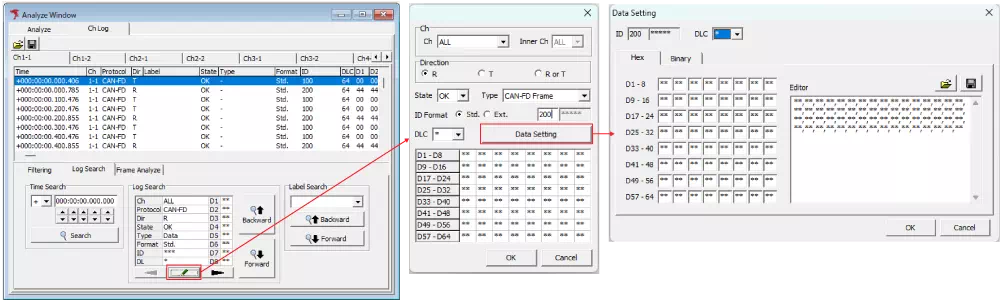
Click button (note) in Log Searchto open the Log Search Setting dialog and set frame conditions.
In the Log Search Setting dialog, click Data Setting (note) to open the Data Setting dialog and set message conditions by byte.
After setting each dialog, clickOKto complete frame-condition settings.
Note: You can also open each dialog by double-clicking the data display area.
- Execute search
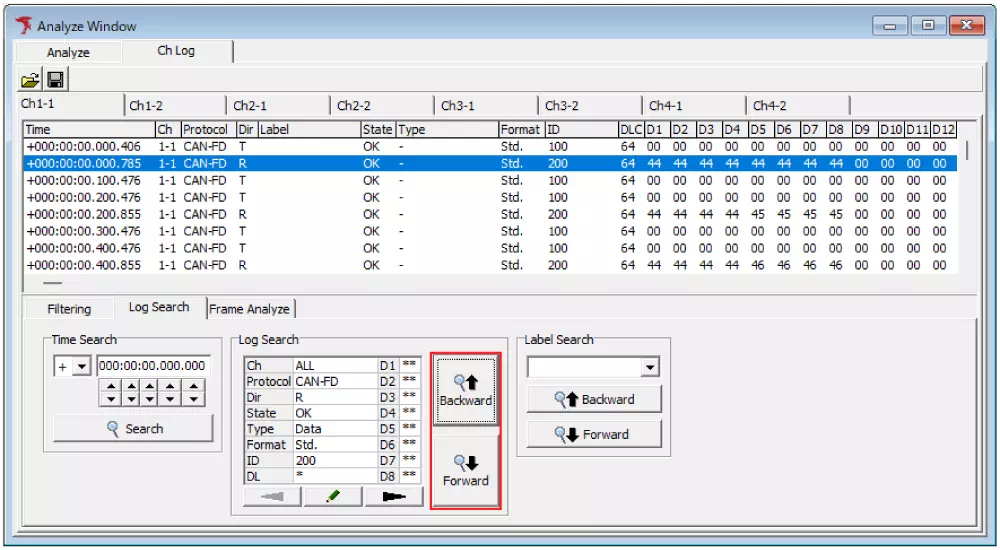
Click or to jump to the specified frame position.
Label Search Setup Procedure
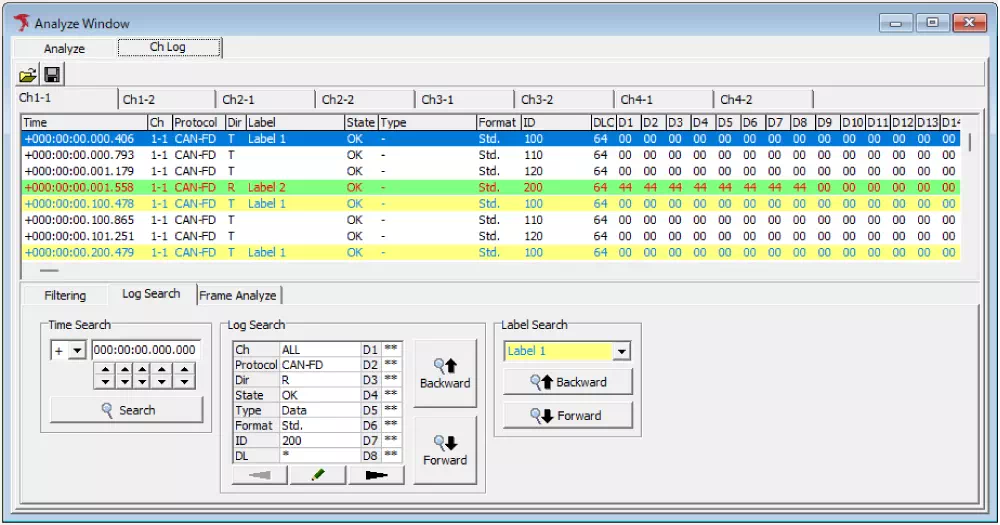
In Label Search, labels configured in the Label Filter Window are used as search conditions.
Follow the steps below.
This procedure assumes labels are already configured in Label Filter Window.
- Open the Log Search tab
Select the Log Search tab inCh LogorAnalyzeview.
- Set search label
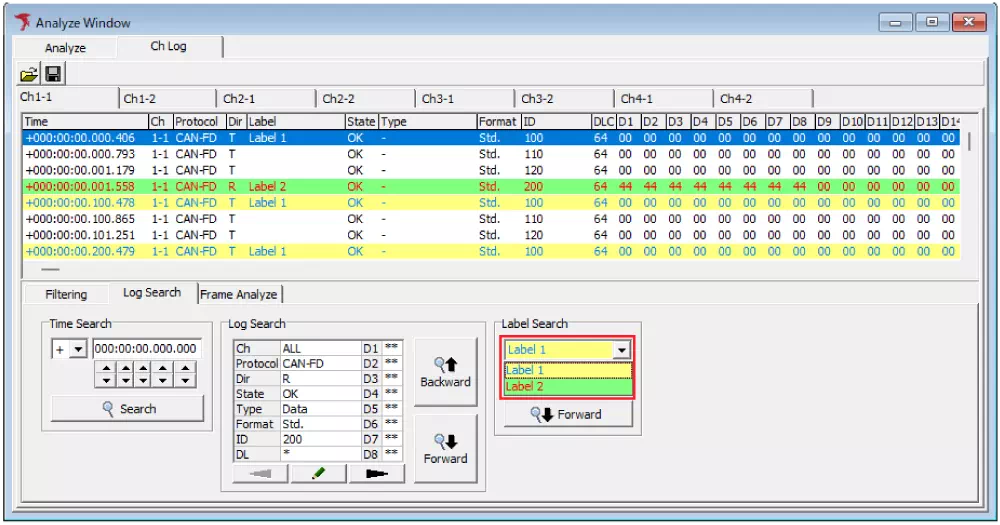
Select a configured label from theLabelpull-down inLog Search.
- Execute search
Click or to jump to the specified frame position.